 Deutsch
  España
  Francais
  Polish
  Russian
  Čeština
  Greek
Greek  Lithuania
  Romanian
  Arabic
  Português
  Indonesian
  Croatian
  Serbia
  Farsi
Farsi  Hebrew
  Mongolian
  Bulgarian
  Georgia
  Azerbaijani
  Thai
Thai  Turkish
  Magyar
 Creating Homework from Uploaded Materials Using EduPage AI


EduPage allows you to create interactive homework that builds on what was covered in class and helps verify whether students have understood the topic.
EduPage AI can prepare such homework automatically, directly from your teaching materials. Simply upload a photo of a notebook page, a page from a textbook, a worksheet, or your own material, and EduPage AI will generate notes or tasks based on it.
Use EduPage AI to create homework or a test.
Open the lesson topic for which you want to create homework and click the red + button.
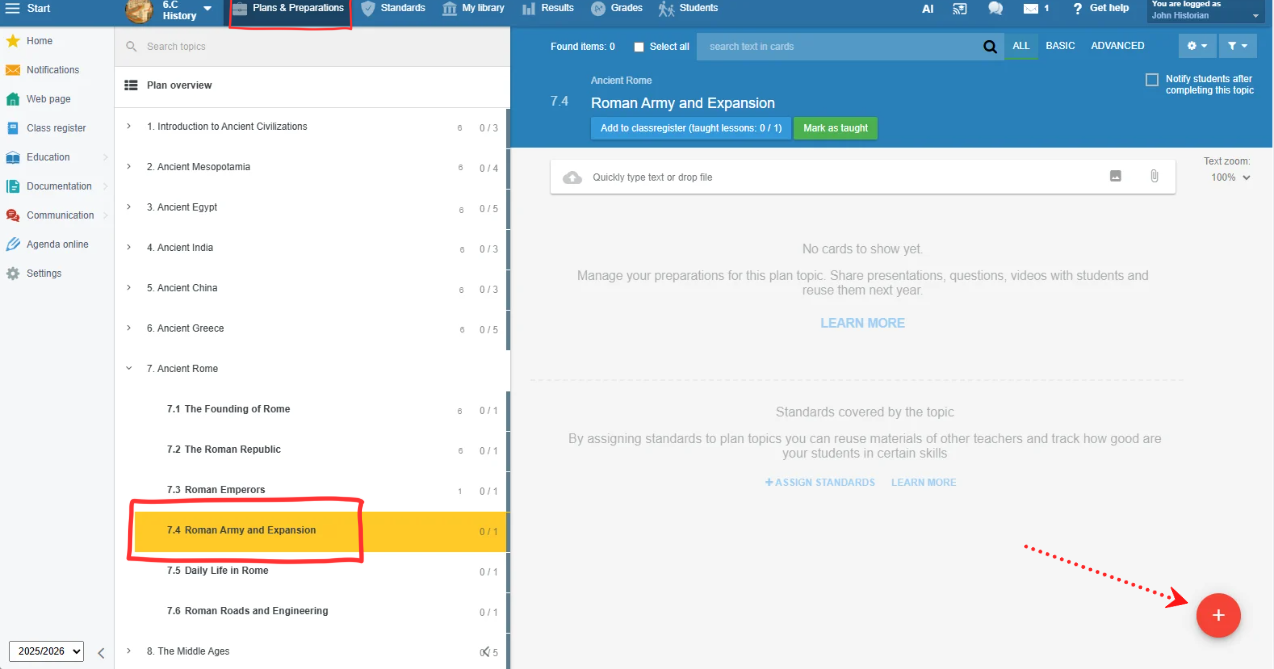
Select Create a test/presentation using AI, enter a topic, or simply attach a photo or scan of the material you have been teaching from or plan to teach from.
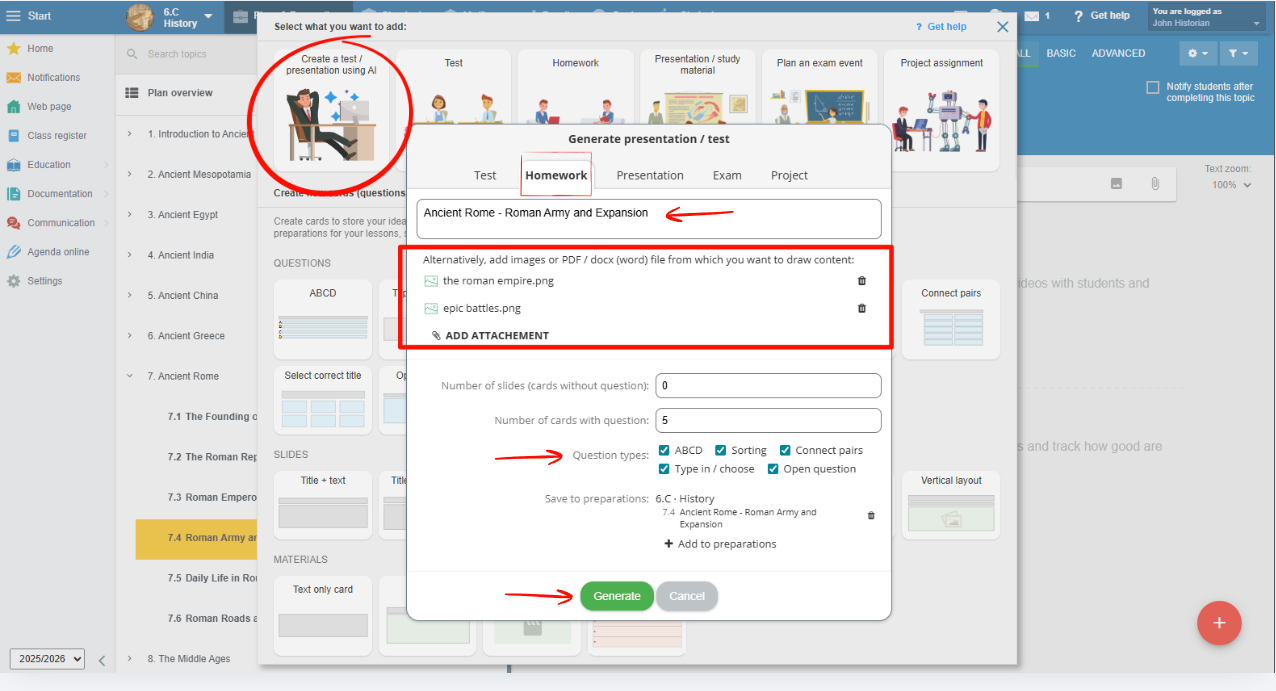
Done! Your test based on the lesson content is ready. Whenever you teach this topic in the future, you can easily assign it to your students.
How to Assign Existing Learning Materials to Students in the App
See also:
Creating Homework from Uploaded Materials Using EduPage AI
Creating teaching materials with EduPage AI