 Deutsch
  España
  Francais
  Polish
  Russian
  Čeština
  Greek
Greek  Lithuania
  Romanian
  Arabic
  Português
  Indonesian
  Croatian
  Serbia
  Farsi
Farsi  Hebrew
  Mongolian
  Bulgarian
  Georgia
  Azerbaijani
  Thai
Thai  Turkish
  Magyar
 How to Assign Existing Learning Materials to Students in the App


Do you already have tests, presentations, or worksheets prepared in EduPage? In the mobile app, you can assign them to students in just a few taps – directly during a lesson or on your way home from school.
Quick steps in the app:
In the mobile app, simply open the Class Register and swipe the lesson card to the left.
Select a topic from your plan. The materials prepared for that topic will then be displayed.
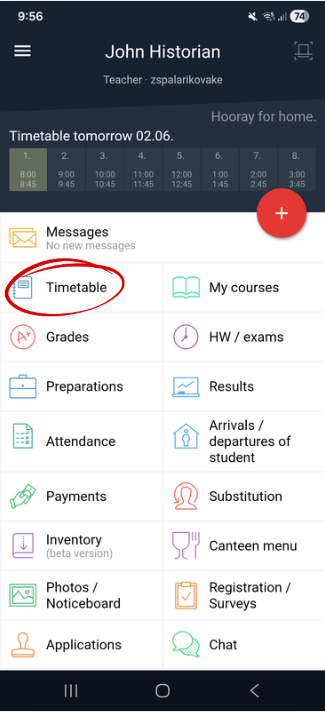
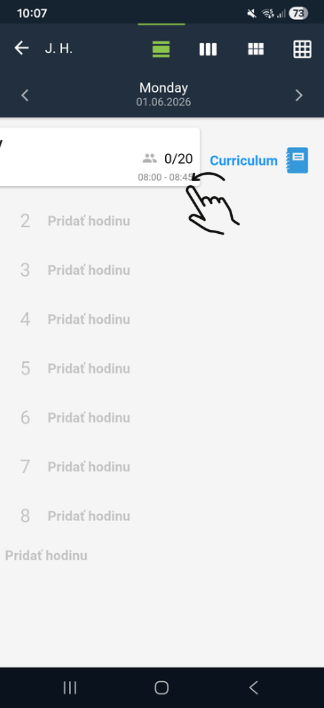
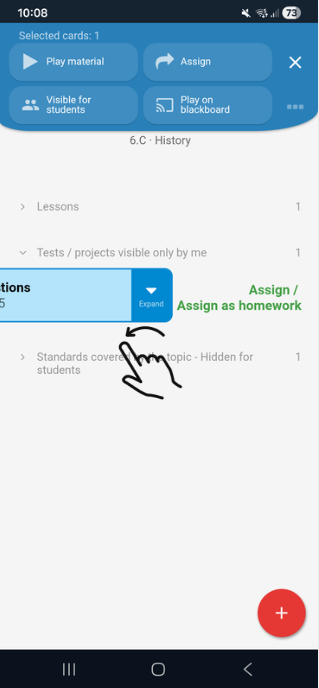
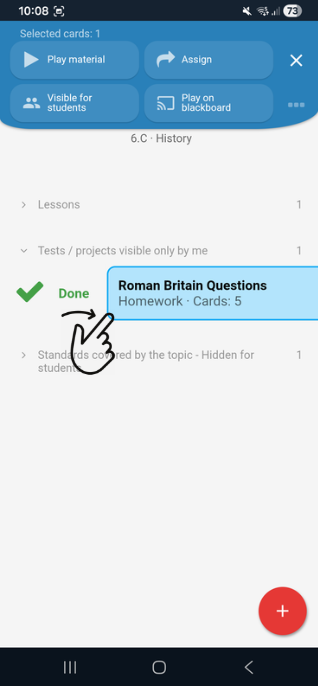
Done! The material has been assigned to students as homework.
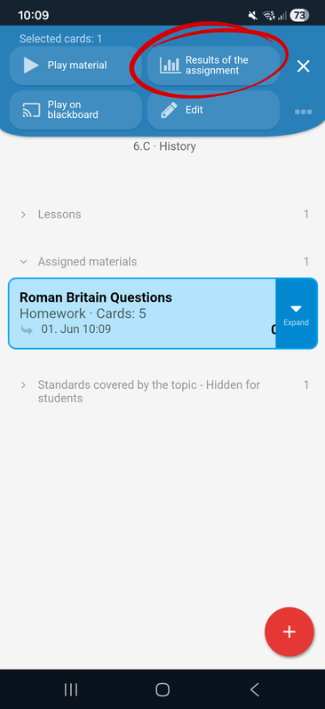
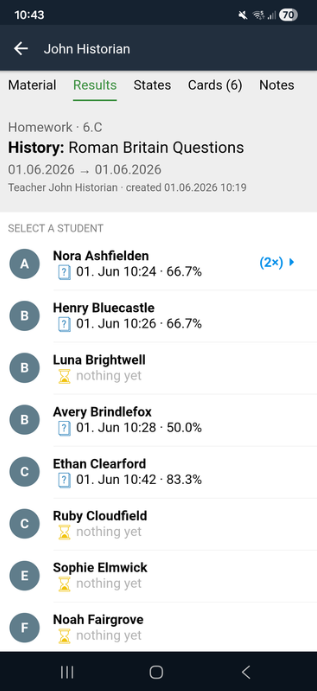
Instant feedback for everyone involved
Unlike a traditional homework assignment such as “Study pages 25–26,” which often does not reveal how well students understood the topic, this type of assignment provides immediate insight into students’ knowledge.
If you prefer working on a computer through the EduPage web interface, see this guide: link/u112/u140/u8914
See also:
Creating Homework from Uploaded Materials Using EduPage AI
Creating teaching materials with EduPage AI
Sending homework, test or project comments to students