 Deutsch
  España
  Francais
  Polish
  Russian
  Čeština
  Greek
Greek  Lithuania
  Romanian
  Arabic
  Português
  Indonesian
  Croatian
  Serbia
  Farsi
Farsi  Hebrew
  Mongolian
  Bulgarian
  Georgia
  Azerbaijani
  Thai
Thai  Turkish
  Magyar
 How to Assign Homework to Students from Existing Learning Materials in EduPage Web


You can easily assign homework to students directly from learning materials you have already prepared for a lesson in the EduPage web interface.
link/u113/u132/u142/u8068
First, open the Class Register and select the lesson. Next to the topic, click the Plans and Preparations icon.
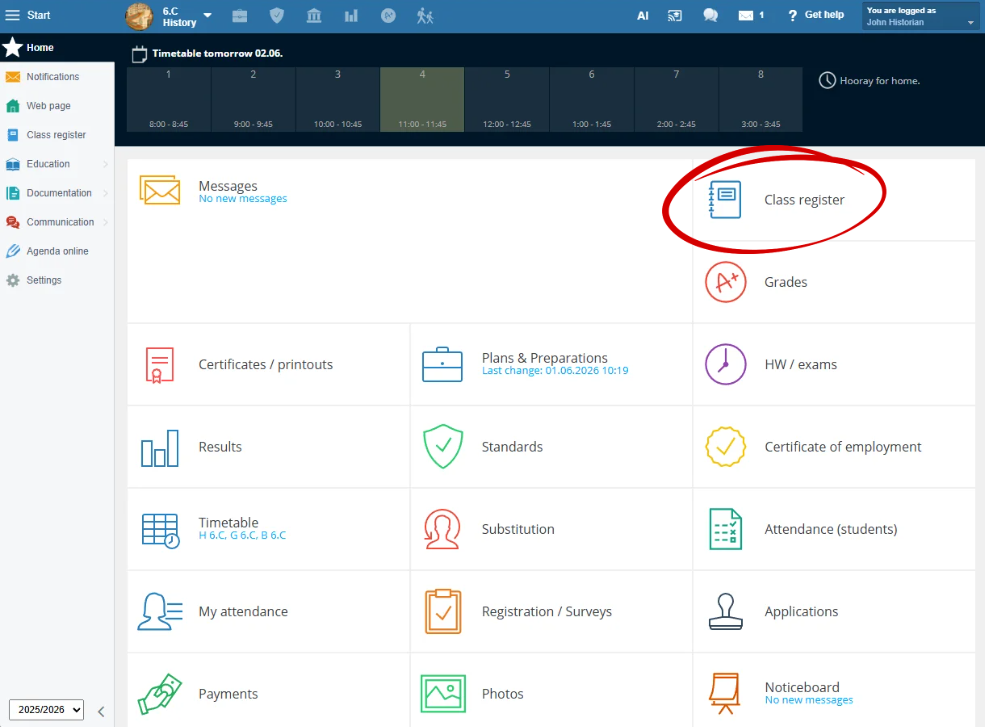
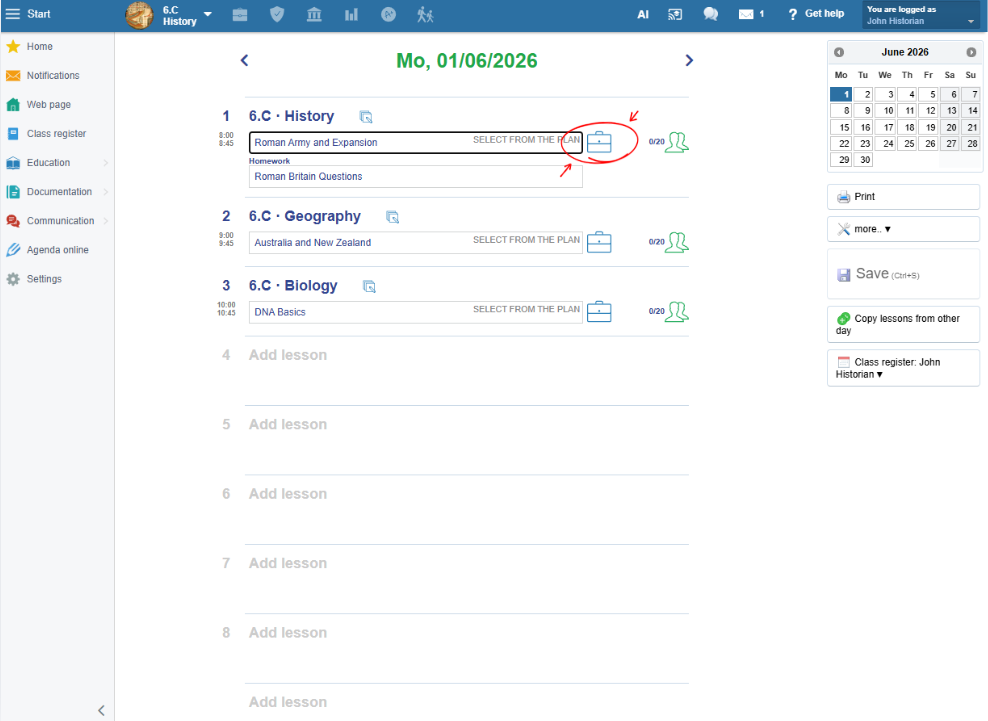
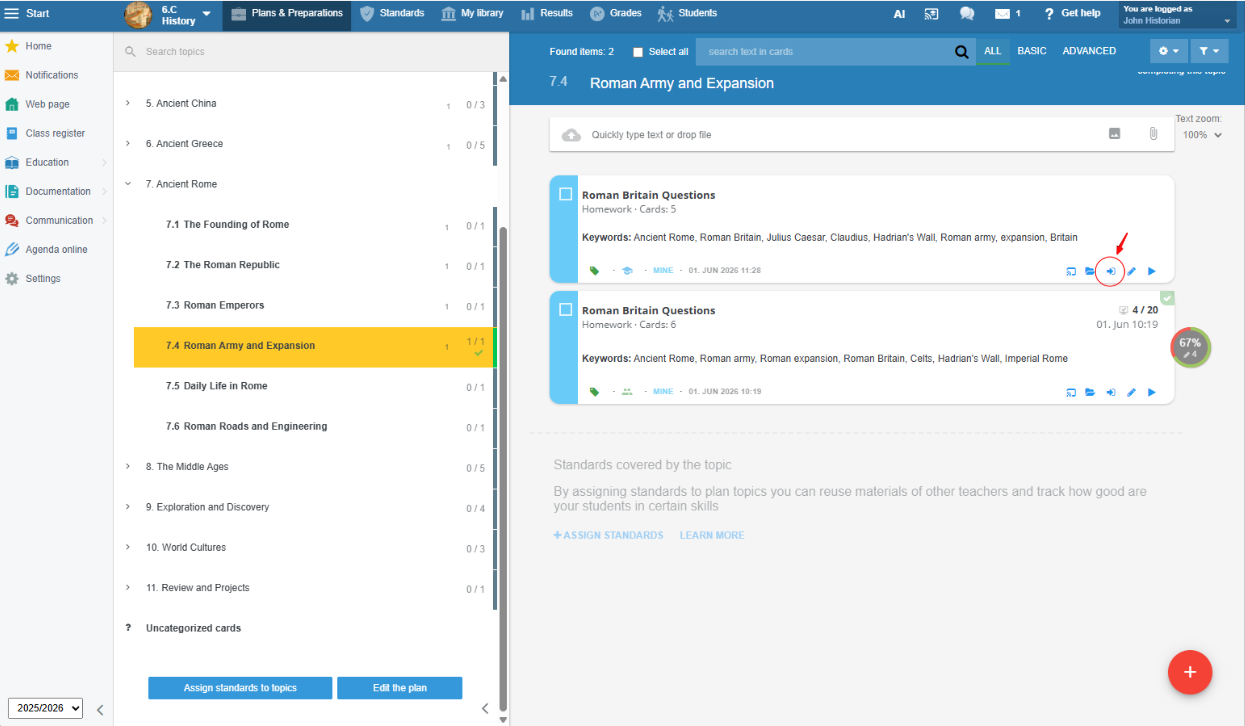
A list of prepared materials will open. For the material you want to assign as homework, click Assign to Students.
In the next step, configure the assignment details. You can set the due date and, if needed, specify the submission method or grading options.
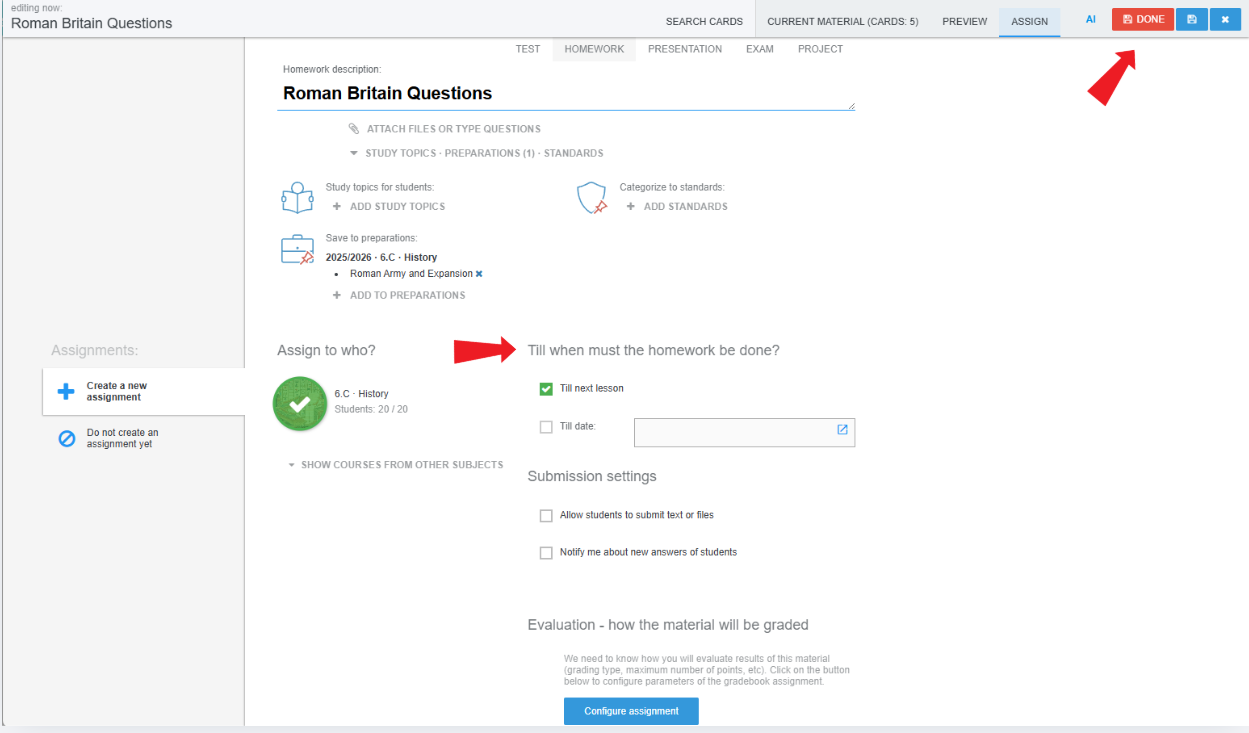
DONE.
Once assigned, you can use the Results section to monitor students' answers, review their success rate, and assess their work if required.
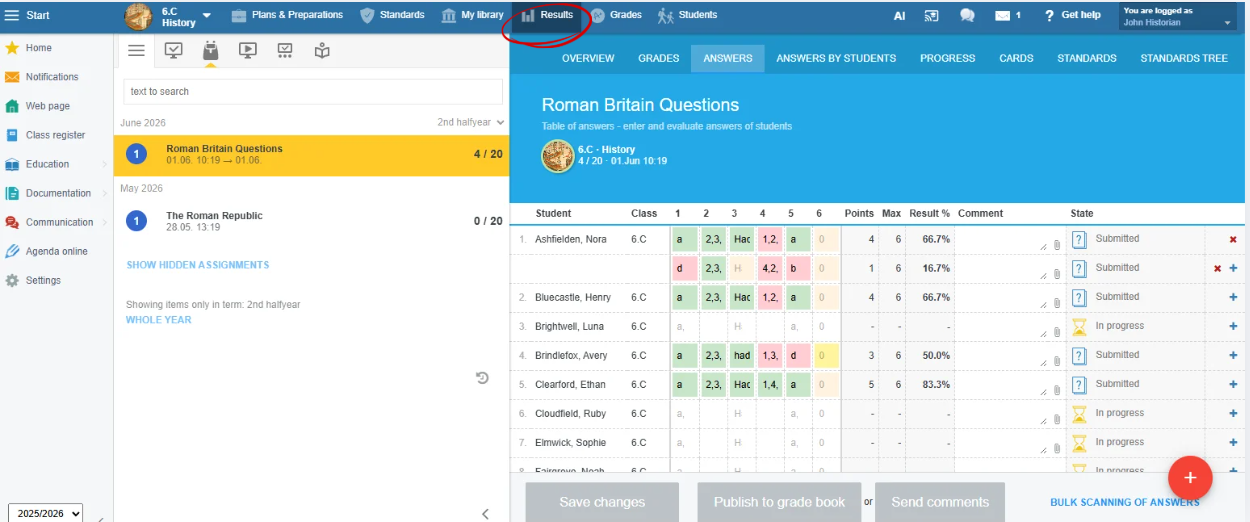
Homework results are also visible to students and their parents. This gives students immediate feedback on which questions they struggled with, allowing them to revisit those topics and improve their understanding.
If you prefer using the mobile app, see this guide: How to Assign Existing Learning Materials to Students in the App